I recently experimented with Deepin and was impressed. It’s by far the most well-polished Linux distro that I’ve used. Its appearance has hints of macOS, Windows 11, Gnome, and KDE. It, in some ways, takes the best of those things, and makes a new OS out of them.
It’s a Chinese-made Linux distro, which surprised me a bit. Normally, we think of China as offering little more than cheap imitations of things. But in the Linux world, they are proving themselves to be excellent creators and innovators. But why? Because the Chinese government wants to reduce their dependence on Microsoft’s Windows since it’s an American operating system and they understandably don’t trust it. So, the Chinese government is likely rewarding those innovators who can make an excellent Linux distro, such as Deepin. And from my brief experiment with it (I spent less than a week with it installed on my laptop), I can say they’ve done a great job.
Let’s look at the good, the bad, and the ugly of Deepin!
The Good:
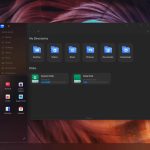
- The best looking Linux distro out there. I know this is totally subjective, and some people prefer a system that looks like it came from 1995. But I’m not one of those people. I like modern looking systems and this one nailed it.
- Immutable operating system – I think these will be the operating systems of the future. System updates take a long time, but it’s by far the most secure system because no app can corrupt the OS itself. And if an update fails, rather than crashing your computer, you just roll back to the prior state.
- Based on Debian. Like Ubuntu and LMDE, this system is based on the highly respected Debian. But like Mint, it’s extremely easy to use.
- Themes, icons, display, layout are all fun and very modern looking. When I returned to using Mint, I felt like I stepped back ten years in time.
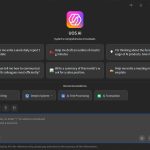
- AI is built into the system, which is probably a con for most Linux users. If you don’t like AI, you can refrain from turning that feature on. But if you’re into AI, you can load an offline model that will scan your files and keep tabs on everything. What that means is you can do searches like, “I was working on a spreadsheet for Company ABC yesterday, but I can’t remember what I named the file or where I saved it. Could you help me find it?” They also have an optional subscription based AI that connects to the internet.
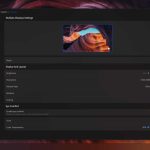
- Eye Comfort feature – it has a Night Light that is highly customizable. It goes deep red or just slightly orange (or you can have it go deep blue if you like that kind of thing). Whatever you prefer. Screen brightness can also be tweaked and the screen can automatically display a Light theme during the day and a Dark theme at night.
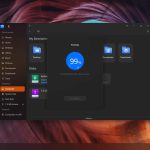
- The Quick Settings tool has a ton of useful things that are easily accessible.
- Account setup and sign-in during installation is optional, which can help with privacy.
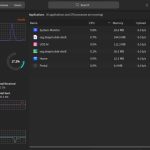
- Performance is not bad. It’s not going to be as fast as Debian or Mint on older hardware, but it will perform decently. It’s probably similar to the performance you’d get from Windows 10 or 11. I put it on a laptop from 2018 (i5-8th gen processor), and it ran just fine. Memory usage was about 2.5 GB after startup, which is a bit high in the Linux world but comparable to Windows 10.
- Experience – There have been over twenty versions of Deepin (I tested Deepin 25). They’ve been working at this for over a decade and the team is quite knowledgeable and experienced in putting together an excellent OS.
The Bad
- Not fully translated. This OS is first and foremost marketed to the Chinese — English speakers are an afterthought. When I selected English as my language, I noticed some elements of the operating system still have little bits of Chinese characters, including the intro Welcome Screen, which is not helpful for a Welcome Screen.
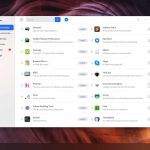
- Funny translations. I noticed in the Software Store that they machine translated everything from Chinese to English… rather than simply pulling the English description for apps that the app developers have created. This results in oddities like, “No matter where you are, we can contact you!” for Thunderbird or “Moving your finger to fall in love with editing” for OpenShot.
- Text line breaks. When a line runs out of room for text, it picks back up on the next line with no concern for keeping words together. So, words get randomly cutoff in unnatural places, which makes it difficult to read things in the OS. That type of line break works fine for the Chinese form of writing, but it doesn’t work in English.
- Apostrophe usage. Often when an apostrophe (‘) is used, a bunch of spaces are inserted. This is throughout the OS and across apps. So, for Duolingo’s description it says,
“The world’ s #1 way to learn a language.” - Telemetry. In 2015, a very small amount of telemetry was being collected on users for analytics purposes as they interacted with the software store in the OS. When people complained, they stopped that practice. No evidence has been found of any telemetry since that time.
All the above amount to an OS that can be a little annoying to navigate at times. It’s not a deal-breaker for me, but it does mean that there’s more work for the developer to do to bring this system to an English audience (which may or may not be high on their list of priorities; I don’t know). If those were the only drawbacks, I would strongly consider using this as my daily driver. But alas, there’s some ugly here…
The Ugly
This is the only version of Linux that I’ve used that made you agree to an EULA before using it. And the privacy policy was problematic. Take section six for example,
6. In the event that we need to collect personal information of you under your custody beyond the above-mentioned purpose of use, we will explain to you and seek your consent anew. However, according to relevant laws, regulations and national standards, in any of the following circumstances, we may collect and use your personal information without seeking your consent:
6.1. Where it is necessary for performance of our statutory duties or legal obligations;
6.2. When it involves national security, national defense security and other national interests directly and when it involves public security, public health, public right to know and other major public interests;
In all that, remember that “public” can simply mean “government.” So, they’ll let you know if they start collecting a bunch of data on you for the Chinese government… Or they may not. Perhaps someday they’ll “collect and use your personal information without seeking your consent” because the Chinese government has deemed it to be a matter of “national security,” “right to know,” or “other national interests” to collect as much info on Americans as possible. This uncertainty leaves me feeling unsettled.
With the system being integrated with AI features that scan all your documents and keep tabs on what you’re doing, there’s just too much potential for things to go wrong. And while they argue, “We’re open source, you can check our code and see that we’re safe,” this is not reassuring enough to convince me to use their system as my daily driver. Here are the reasons for that:
- Analyzing an entire operating system’s worth of code is far beyond what most people could do. For an OS like this, it would take an entire team of highly trained coders or software engineers to vet its safety.
- They’ve been known to make significant changes to the underlying code with each release [1], which means the entire OS would have to be re-evaluated by a team of experts annually to ensure its safety.
- And even if everything is safe today, what if they injected some malicious code next week or a year from now? This code could enable them to spy on you, or worse, use your computer to hack other computers in the US. There’s absolutely no evidence that such code is in there now, nor that they would ever do such a thing. But it could potentially be added during a system update.
Summary
In my opinion, Deepin is the best looking desktop environment in the Linux world. It’s highly polished, quite stable, and it can be customized to the user’s preferences. But knowing about its potential privacy nightmare, I just can’t use this. While I am unlikely to ever be on a list of people that they would want to spy on, it’s just a little unsettling that their privacy policy leaves that option open.
The Chinese people have done such amazing work in the tech world, showing themselves to be leaders in scalability and efficiency. Examples are numerous, but include Deepin, Deepseek, TikTok, and hardware like the TP-Link routers. It’s a shame that tensions are high and trust is low between our countries because there’s so much innovation that we can share with one another, and ways that we can learn from one another.
Have you tried Deepin? What did you think of it?
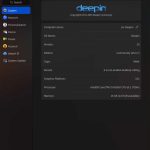
Below are some screenshots of my desktop that display some of the things I mentioned above.




[1] For sometime, the well-known and well-established Linux Distro openSUSE had a Deepin Desktop version of their distro. However, in 2025, due to serious security concerns that Deepin refused to correct, they had to cut ties with Deepin. What Deepin tried to get away with is actually quite horrifying. You can read more about it here.